Creative Tools
Names, bios, colors and visual helpers.
Create sharp profile names for social, gaming and brands.
NewPreview exact colors in a large fullscreen canvas.
PopularCount words, characters and paragraphs in real time.
FunFlip coins, spin wheels, test reflexes and take a calm break.
PrivateSend text and files privately with temporary or personal codes.
Names, bios, colors and visual helpers.
Write, count, convert and move faster.
Small tools for choices, reflexes and play.
Format, minify and inspect browser-side.
Private • Instant • Secure
Instantly share files and text between your desktop and phone with Lux Paste — fast, secure cross-device transfers directly in your browser, with no signup or setup.
Click to upload files
Up to 10 files, 50MB totalLux Paste is a secure browser-based file and text sharing tool designed for both temporary sharing and personal device transfers. It allows users to instantly send files, text, notes, code snippets, images, screenshots, and documents directly from the browser without installation or signup. Temporary access codes expire automatically, and private cloud copies are removed shortly after expiration, supporting short-lived sharing and reducing unnecessary storage.
Generate a one-time code to securely send files or text to anyone. Content expires automatically after a set time.
Use a persistent personal receive code to transfer files and text between your own devices such as PC, laptop, tablet, and mobile.
Upload a file or paste text
Choose either Temporary Share or Personal Inbox
Share the generated code or receive content instantly on your device
Lux Paste includes a Personal Inbox that allows users to receive files and text across multiple devices using a single persistent receive code. It is designed for seamless cross-device transfer:
It removes the need for email attachments, USB drives, or messaging apps for file transfer.
Temporary transfers use private storage and one-time access codes. Files are removed automatically shortly after code expiration. Lux Paste is designed for short-term sharing, not permanent storage.
A browser-based tool for secure temporary file and text sharing.
A private receive code that allows cross-device file transfer between your own devices.
No, Lux Paste works without signup.
Yes, using the Personal Inbox feature.
Temporary files use private storage and are deleted shortly after their code expires.
Files, text, code, images, screenshots, and documents.
Any modern browser on mobile, desktop, or tablet.
Lux Paste is a modern secure file sharing and transfer tool built for speed, privacy, and simplicity. It combines temporary sharing and personal cross-device inbox functionality in one browser-based platform, making it easy to send files instantly without email, storage apps, or external services.
Resize, convert, crop, compress and rotate images in your browser. Background removal is powered by LuxTool AI.
Resize any image to your desired dimensions with ratio lock and presets
Convert between PNG, JPG, WebP, BMP formats
Crop with aspect ratio presets and custom sizes
Reduce file size and see compression savings live
Rotate and flip images freely
Combine images into a PDF document
Extract PDF pages as PNG images
Merge multiple PDFs into one document
Split a PDF into individual pages or ranges
Remove unwanted pages from a PDF
Rotate any pages inside a PDF
Stamp text onto any page of a PDF
Add custom text watermarks to images
Freehand drawing canvas with brush controls
Whether you're resizing photos for the web, compressing images for faster loading, or editing a PDF for work or school, LuxTool brings together a collection of free online image and PDF tools designed for everyday use. Every tool runs instantly in your browser, requires no signup, and is built with speed, accuracy, and privacy in mind.
From resizing, cropping and converting images to merging, splitting and editing PDFs, our tools help you get common image and document tasks done in just a few clicks. Whether you're a designer, student, professional, or simply need a quick edit, you'll find practical tools that save time and reduce manual work.
Our goal is to provide reliable online image and PDF tools that are easy to use on any device. Every tool is designed with a clean interface, fast performance, and accurate results, making them suitable for both quick everyday edits and more detailed document work.
You can access image editing, format conversion, and PDF tools from one convenient location.
Resize, crop, rotate, compress and freehand draw on images with instant, in-browser previews.
Convert between PNG, JPG, WebP and BMP formats, or turn images into PDF documents.
Merge, split, rotate, remove pages from, or stamp text onto PDF documents in a few clicks.
Add custom text watermarks to images to protect and brand your visual content.
LuxTool image and PDF tools are designed to be straightforward and dependable. There's nothing to install, no complicated settings, and no learning curve. Simply upload your file, choose your options, and get instant results.
We regularly expand our collection with new tools and improvements to ensure you always have access to practical image and document tools for work, study, business, and personal use.
Yes, every tool on this page is completely free to use.
No, all tools work instantly without signup or login.
Most tools process files directly in your browser. Background removal offers a Local AI engine that also runs entirely in your browser, plus an optional LuxTool Cloud AI engine to generate results.
Yes, every tool is designed to work smoothly on desktop, tablet, and mobile.
No, files are processed on the fly and are not stored after you leave the page.
We regularly add new image and PDF tools and improvements to expand the collection.
Word counter, case converter, text summarizer, URL encoder and more — all live in your browser with zero processing delay.
Count words, characters, sentences, paragraphs in real-time
UPPERCASE / lowercase / Title Case / sentence case instantly
Remove extra spaces, blank lines, symbols and special characters
Generate lorem ipsum and custom placeholder text for designers
Random cool usernames for Instagram, games and social media
Instant Instagram & TikTok bios with emojis and styles
Encode and decode URLs and URI components instantly
Compare two texts and highlight differences line by line
Convert Markdown to clean HTML instantly
Strip all HTML tags and get plain text
Extractive summarization with sentence scoring algorithm
Whether you're editing an essay, cleaning up scraped content, comparing two documents, or converting Markdown for a blog post, LuxTool brings together a collection of free online text tools designed for everyday use. Every tool works instantly in your browser, requires no signup, and is built with speed, accuracy, and privacy in mind.
From counting words and converting case to cleaning text, comparing differences, and converting between Markdown and HTML, our tools help you handle common writing and editing tasks in just a few clicks. Whether you're a writer, student, developer, or simply need a quick text edit, you'll find practical tools that save time and reduce manual work.
Our goal is to provide reliable online text tools that are easy to use on any device. Every tool is designed with a clean interface, fast performance, and accurate results, making them suitable for both quick everyday edits and more detailed writing work.
You can access word counting, text formatting, comparison, and conversion tools from one convenient location.
Count words and characters in real-time, convert between UPPERCASE, lowercase, Title Case and sentence case, or clean up extra spaces and symbols.
Compare two texts and highlight differences line by line, or encode and decode URLs and URI components instantly.
Convert Markdown to clean HTML, strip HTML tags to get plain text, or summarize long text automatically.
Generate lorem ipsum placeholder text, random usernames, or stylish social media bios in seconds.
LuxTool text tools are designed to be straightforward and dependable. There's nothing to install, no complicated settings, and no learning curve. Simply paste or type your text, choose your tool, and get instant results.
We regularly expand our collection with new tools and improvements to ensure you always have access to practical text tools for writing, editing, coding, and everyday use.
Yes, every tool on this page is completely free to use.
No, all tools work instantly without signup or login.
Yes, each tool is built to provide fast and accurate results for everyday text tasks.
Yes, every tool is designed to work smoothly on desktop, tablet, and mobile.
No, all processing happens in your browser and your text is not stored.
We regularly add new text tools and improvements to expand the collection.
Length, weight, temperature, area, speed, volume, data and time — 50+ units across 8 categories. Results update as you type.
Length, Weight, Temperature, Area, Speed, Volume, Data, Time — 50+ units
Pretty-print and validate JSON with error messages
Minify HTML and show before/after size savings
Compress CSS files and show savings
Minify JavaScript and show byte savings
Whether you're converting units for a project, validating JSON data, or shrinking code before deployment, LuxTool brings together a collection of free online converters designed for everyday use. Every tool works instantly in your browser, requires no signup, and is built with speed, accuracy, and privacy in mind.
From unit conversion across length, weight, temperature and more to formatting JSON and minifying HTML, CSS and JavaScript, our tools help you complete everyday conversions in just a few clicks. Whether you're a developer, student, professional, or simply looking for a quick answer, you'll find practical tools that save time and reduce manual work.
Our goal is to provide reliable online converters that are easy to use on any device. Every tool is designed with a clean interface, fast performance, and accurate results, making them suitable for both quick everyday tasks and more detailed technical work.
You can access unit conversion, data formatting, and code minification tools from one convenient location.
Convert length, weight, temperature, area, speed, volume, data and time across 50+ units, with results that update as you type.
Pretty-print and validate JSON, or minify HTML, CSS and JavaScript to reduce file size and show before/after savings.
LuxTool converters are designed to be straightforward and dependable. There's nothing to install, no complicated settings, and no learning curve. Simply enter your values or paste your code, and receive instant results.
We regularly expand our collection with new tools and improvements to ensure you always have access to practical converters for work, study, development, and personal use.
Yes, every converter on this page is completely free to use.
No, all converters work instantly without signup or login.
Yes, each tool is built to provide fast and accurate results for everyday conversions.
Yes, every converter is designed to work smoothly on desktop, tablet, and mobile.
No, conversions happen in your browser and your data is not stored.
We regularly add new converters and improvements to expand the collection.
QR codes, strong passwords, usernames, Instagram bios, color tools, logo text and lorem ipsum — all generated client-side, instantly.
Custom QR codes with colors, 4 sizes, download PNG
Generate strong passwords and check strength with tips
Cool random usernames for Instagram, games and profiles
Stylish Instagram & TikTok bios with emojis
Placeholder text for designers & developers
Generate beautiful color palettes with hex codes
Full-screen color preview with picker, presets and copy hex
Stylish CSS text logos & icon designs
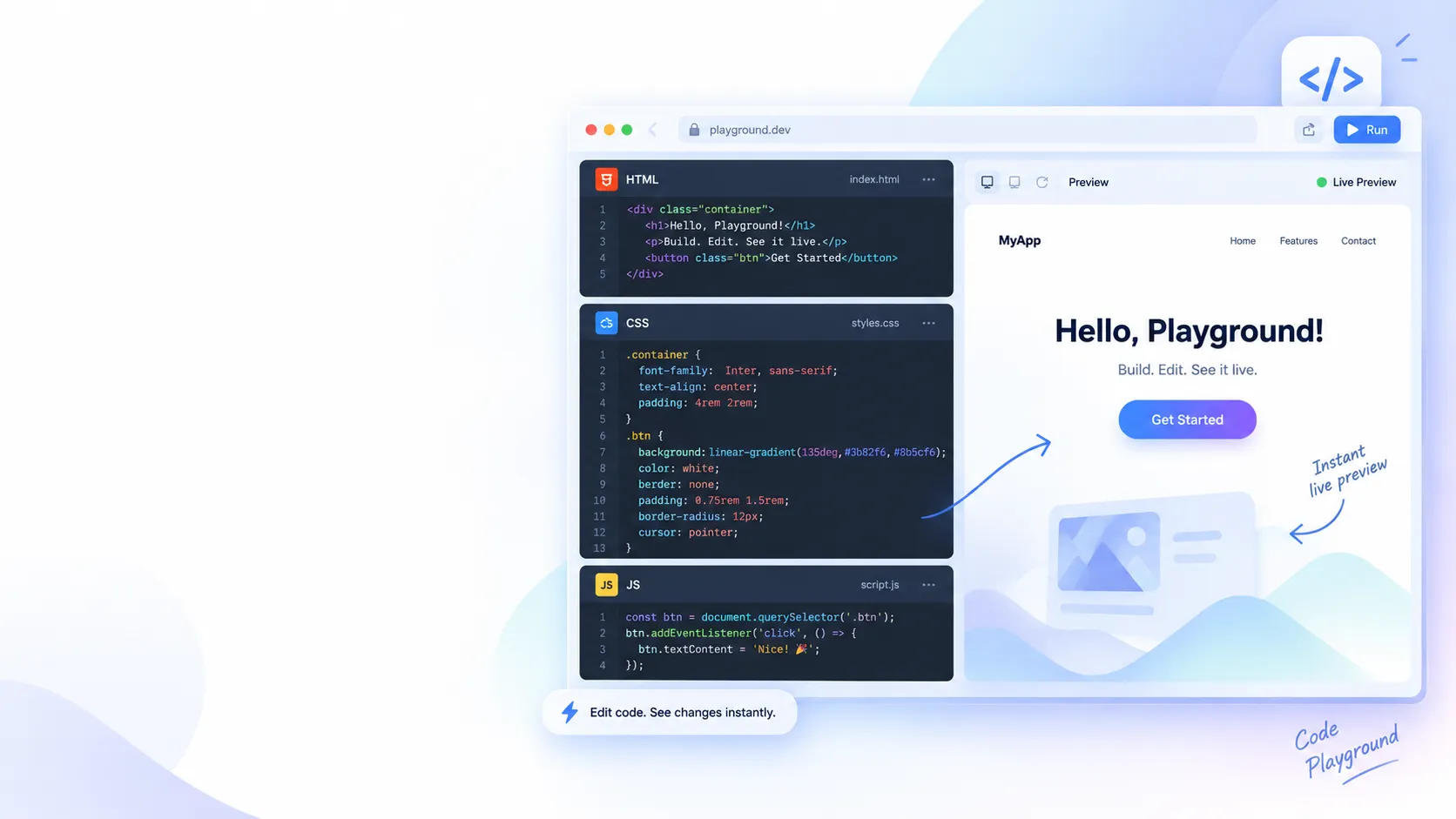
Live HTML, CSS & JS editor with instant preview
Whether you're securing an account, building a brand, designing a project, or just need placeholder content, LuxTool brings together a collection of free online generators built for everyday use. Every tool runs instantly in your browser, requires no signup, and is built with speed, accuracy, and privacy in mind.
From QR codes and strong passwords to usernames, bios, color palettes, logo text and lorem ipsum, our generators help you create what you need in just a few clicks. Whether you're a developer, designer, content creator, or simply looking for a quick result, you'll find practical tools that save time and reduce manual work.
Our goal is to provide reliable online generators that are easy to use on any device. Every tool is designed with a clean interface, fast performance, and instant results, making them suitable for both quick everyday tasks and more detailed creative work.
You can access security, branding, design, and utility generators from one convenient location.
Generate strong passwords with strength checks, or create random usernames for games, social media and profiles.
Create stylish Instagram and TikTok bios, or design eye-catching logo and icon text for your brand.
Build beautiful color palettes with hex codes, or preview colors full-screen with a picker and presets.
Generate QR codes, placeholder lorem text, preview colors full-screen, or use practical browser utilities.
LuxTool generators are designed to be straightforward and dependable. There's nothing to install, no complicated settings, and no learning curve. Simply choose the generator you need, set your options, and get instant results.
We regularly expand our collection with new tools and improvements to ensure you always have access to practical generators for work, projects, social media, and personal use.
Yes, every generator on LuxTool is completely free to use.
No, all generators work instantly without signup or login.
Yes, tools like the password, username, and bio generators produce a new result on every use.
Yes, every generator is designed to work smoothly on desktop, tablet, and mobile.
No, generation happens in your browser and your data is not stored.
We regularly add new generators and improvements to expand the collection.
Coin flips, reaction tests, decision wheels, and breathing rounds - lightweight browser tools for quick breaks and playful decisions.
LuxTool Games collects the small interactive tools that are best used for quick decisions, reflex checks, and calm breaks. Every game runs in your browser, works instantly, and does not require an account.
Calculator, calendar, age, BMI, percentages, loan EMI and typing speed — practical tools for real life, all free.
Simple everyday calculator with keyboard support
Live exchange rates and instant currency conversion
Exact age in years, months, days + zodiac
Body mass index with metric and imperial
4 different percentage calculation modes
Test and improve your typing speed and accuracy
Monthly EMI, total interest & full amortization table
Calculate sale price, savings amount and percent off
Compute profit, loss, margin and markup instantly
Add or remove GST at 5%, 12%, 18% or 28%
Calculate trip fuel cost from distance and mileage
Find duration between two dates and times
Log shifts, compute total hours and overtime pay
Live clock, stopwatch and countdown timer in one
Full-featured calendar with events, reminders & jump to date
Whether you're managing your finances, tracking your health, planning your workday, or solving quick math problems, LuxTool brings together a collection of free online calculators designed for everyday use. Every calculator works instantly in your browser, requires no signup, and is built with speed, accuracy, and privacy in mind.
From simple arithmetic and percentage calculations to loan EMI estimates, currency conversion, BMI checks, and work hour tracking, our tools help you complete everyday calculations in just a few clicks. Whether you're a student, professional, business owner, traveler, or simply looking for a quick answer, you'll find practical calculators that save time and reduce manual work.
Our goal is to provide reliable online calculators that are easy to use on any device. Every tool is designed with a clean interface, fast performance, and accurate calculations, making them suitable for both quick everyday tasks and more detailed planning.
You can access finance, health, productivity, and utility calculators from one convenient location.
Estimate loan repayments, calculate profit and loss, apply discounts, determine GST, and perform percentage calculations for personal or business use.
Monitor basic health metrics with tools such as the BMI Calculator and other wellness-related utilities designed to provide quick estimates.
Track work hours, calculate time differences, use timers and stopwatches, or improve your typing speed with productivity-focused tools.
Perform common calculations such as currency conversion, age calculation, fuel cost estimation, coin flipping, and other practical tools for daily life.
LuxTool calculators are designed to be straightforward and dependable. There's nothing to install, no complicated settings, and no learning curve. Simply choose the calculator you need, enter your values, and receive instant results.
We regularly expand our collection with new tools and improvements to ensure you always have access to practical calculators for work, study, business, travel, and personal use.
Yes. All calculators on LuxTool are 100% free to use, with no registration or subscription required. Simply open a calculator and start using it instantly.
No. All calculators work instantly without creating an account, signing up, or logging in.
Yes. All LuxTool calculators are designed to provide fast, accurate, and reliable results for everyday calculations. We regularly review and improve our tools to help ensure consistent accuracy.
Yes. All LuxTool calculators are fully mobile-friendly and work seamlessly on smartphones, tablets, laptops, and desktop computers. Every tool is responsive, so you can calculate accurately from any device.
No. Your calculations are processed directly in your browser, and LuxTool does not store or save the information you enter. Your data remains private while you use our calculators.
We regularly add new calculators and update existing tools to improve accuracy, performance, and usability. Check back often to discover the latest free online calculators on LuxTool.
LuxTool is built for quick browser-based work with a simple privacy-first approach.
Most LuxTool utilities run directly in your browser. We do not require an account to use the public tools, and we design the site to avoid collecting unnecessary personal information.
Browser-side tools process your text, images, documents, and calculations locally whenever possible. Temporary sharing tools may store content only as needed to provide that feature.
We may use basic, privacy-conscious performance or traffic information to understand site reliability and improve the tools. Tool-open counts may also be stored anonymously in aggregate to show genuine worldwide popularity. Your personal “most used” ranking stays in your browser's local storage and is not tied to an account or IP profile.
If you have questions about privacy on LuxTool, contact the site owner through the channel listed on the main website.
Simple terms for using LuxTool's free browser-based tools.
You may use LuxTool for lawful personal, creative, educational, and professional tasks. Do not use the site to create, process, or share illegal, harmful, or abusive content.
LuxTool is provided as-is. We work to keep tools accurate and reliable, but you are responsible for reviewing outputs before relying on them.
You are responsible for any content you enter, upload, generate, or share through the tools. Keep private or sensitive information out of tools unless you understand how that specific feature works.
We may update tools, features, and these terms as the site evolves.
Resize with live preview — drag the handle or enter dimensions
Original:
Presets
The Image Resizer lets you change the width and height of any photo or graphic directly in your browser, with a live drag handle and instant preview. Use exact pixel dimensions or jump straight to a preset — HD, Full HD, 4K, or an Instagram-ready square — and download the result in seconds, with nothing ever uploaded to a server.
Enlarging an image beyond its original size can soften detail, but shrinking an image to a smaller size keeps it sharp.
You can upload PNG, JPG, WebP and GIF files.
No, resizing happens entirely in your browser and the image never leaves your device.
Yes, the resizer works on desktop, tablet and mobile browsers.
Convert between PNG, JPG, WebP, BMP formats
The Image Converter switches your photos and graphics between PNG, JPG, WebP and BMP formats right in your browser, with an adjustable quality slider for lossy formats. It's useful for preparing images for the web, reducing file size, or matching a format required by another app or platform.
You can convert to and from PNG, JPG, WebP and BMP.
JPG uses lossy compression, so very low quality settings can soften detail — raise the quality slider for a closer match to the original.
This tool converts one image at a time to keep the preview and quality controls accurate.
No, conversion happens entirely in your browser.
Reduce file size without losing visible quality
The Image Compressor shrinks photo file sizes using an adjustable quality slider, while showing a live before-and-after size comparison so you can see exactly how much you're saving. It's ideal for speeding up websites, fitting attachment size limits, or saving storage space.
Savings depend on the image and quality setting you choose — the tool shows the exact before and after size so you can find the right balance.
Higher quality settings keep more detail, while lower settings save more space but can introduce visible artifacts.
PNG, JPG and WebP images can be compressed.
No, compression happens entirely in your browser.
Rotate and flip your images freely
The Image Rotator turns and mirrors any photo directly in your browser. Use the angle slider for a precise custom rotation, quick 90°, 180° and 270° buttons for common turns, or flip an image horizontally and vertically — all with an instant live preview.
Yes, the angle slider lets you set any rotation from 0° to 360°.
No, flipping and rotating are lossless operations that don't reduce quality.
You can upload PNG, JPG, WebP and GIF files.
Yes, the rotator works on desktop, tablet and mobile browsers.
Drag to crop — handles resize in real-time
The Image Cropper lets you select and cut out exactly the part of a photo you need, with draggable resize handles, a live 3x3 grid overlay, and ready-made aspect ratio presets for social media and standard photo sizes. Fine-tune the exact output size with pixel-precise width and height fields.
Presets include free-form, 1:1, 4:3, 16:9, 3:4 and 9:16, alongside fully custom dimensions.
Yes, type your desired width and height directly into the size fields.
No, cropping simply removes the areas outside your selection without recompressing the rest.
Yes, the cropper supports touch dragging on tablets and phones.
Combine images into a PDF document
Image to PDF combines several photos or scans into a single, organized PDF document in your browser. Choose a standard page size — A4, A5 or Letter — and portrait or landscape orientation, then generate a ready-to-share PDF in seconds.
You can add multiple images at once; each one becomes its own page in the final PDF.
A4, A5 and Letter are available, in either portrait or landscape orientation.
Yes, each image is placed on the page at its original quality.
No, the PDF is generated entirely in your browser.
Extract PDF pages as PNG images
PDF to Image extracts every page of a PDF document as a separate PNG image, right in your browser. It's handy for pulling a single page out of a report, sharing a scanned document as pictures, or preparing PDF content for use in a slide deck or design tool.
Each PDF page is exported as a PNG image.
All pages are rendered, and you can choose to download only the ones you need.
There's no fixed limit, though very large PDFs may take longer to render since everything runs in your browser.
No, the conversion happens entirely on your device.
50+ units across 8 categories
The Unit Converter covers over 50 units across 8 categories — length, weight, temperature, area, speed, volume, data and time — with results that update instantly as you type. It's built for everyday conversions in cooking, travel, school, and technical work without needing to remember conversion formulas.
Length, weight, temperature, area, speed, volume, data and time, with multiple units in each.
Conversions use standard, widely accepted conversion factors for each unit.
Yes, click the swap button to switch the "From" and "To" units instantly.
No, all conversions happen entirely in your browser.
Create custom QR codes instantly
The QR Code Generator turns a URL, email address, phone number, WiFi network, or any plain text into a scannable QR code, with adjustable size, error correction and custom colors. It's useful for business cards, posters, packaging, or quickly sharing a link with a phone camera.
Higher correction levels let the code still scan even if part of it is damaged or obscured, at the cost of a slightly denser pattern.
Yes, use the WiFi preset and fill in your network name and password.
Yes, set any dark and light color combination before generating.
No, the QR code is generated entirely in your browser.
Generate strong passwords and check strength
This tool generates strong, random passwords with customizable length and character sets, and separately checks any password's strength, estimated crack time, and whether it has appeared in a known data breach — using a privacy-preserving k-anonymity check that only ever sends the first five characters of a hash.
No, passwords are generated and checked locally in your browser. For breach checking, only the first 5 characters of a SHA-1 hash are sent, never the actual password.
It tells you whether that exact password has appeared in known public data breaches, which is a sign it's unsafe to reuse.
It's based on the password's entropy — length and character variety — using standard assumptions about attack speed.
No, generated passwords exist only in your browser and are not saved or transmitted.
Flip a coin, custom decisions, or best-of series
The Coin Flipper is a randomized decision tool that goes beyond a basic heads-or-tails — rename the two sides to anything you like, run a best-of series to settle a real contest, and track a running history and stats of every flip.
Yes, type any two options into the custom choices fields.
It tracks a best-of match, so you can settle a real decision over multiple flips instead of just one.
Yes, each flip uses your browser's random number generator.
No, stats and history are kept only in your current browser session.
Calculate your exact age and more
The Age Calculator works out your exact age in years, months and days from a date of birth, along with extra details like total days lived, total hours, the day of the week you were born, your zodiac sign, and a countdown to your next birthday.
Yes, the calculation accounts for leap years when working out your exact age.
Yes, the result includes your total days lived alongside your age in years, months and days.
It's based on standard Western zodiac date ranges matched to your birth date.
No, the calculation happens entirely in your browser and isn't saved.
Calculate your Body Mass Index
The BMI Checker calculates your Body Mass Index from height and weight, in either metric (kg/cm) or imperial (lb/in) units, and shows where your result falls on the standard weight category scale from underweight to obese.
BMI is calculated as weight in kilograms divided by height in meters squared, converted automatically if you use imperial units.
No, BMI is a general screening indicator and doesn't account for muscle mass, body composition, or individual differences — it's a starting point, not a diagnosis.
Underweight (below 18.5), Normal (18.5–24.9), Overweight (25.0–29.9), Obese Class I (30.0–34.9), and Obese Class II+ (35.0 and above).
No, the calculation happens entirely in your browser.
Four calculation modes with clear results
The Percentage Calculator covers the four most common percentage problems in one tool: finding what X% of Y is, working out what percentage X is of Y, calculating percentage change between two values, and applying an increase or decrease by a percentage.
You can find X% of Y, determine what percent X is of Y, calculate percentage change, and apply an increase or decrease.
% Change tells you the percentage difference between two values, while Increase/Decrease applies a percentage to a starting value to get a new result.
Yes, negative values are supported where they make sense, such as in percentage change.
No, all calculations happen entirely in your browser.
Advanced real-time analysis, writing goals, and intelligent highlighting
Word Counter Pro goes beyond a simple word tally, giving writers live readability scoring, keyword density, writing goals, and highlighting for filler words, long sentences and repetition. It's built for anyone polishing an essay, blog post, script or resume who wants more than a basic character count.
Sentences over roughly 25 words are highlighted so you can spot places to simplify.
It's based on sentence length and word complexity to estimate how easy your text is to read.
Yes, set a target word count or reading time and the progress bars update as you type.
No, everything is analyzed locally in your browser and nothing is stored.
Transform your text in multiple ways
The Text Converter switches any text between UPPERCASE, lowercase, Title Case, Sentence case, aLtErNaTe case, or fully reversed text — instantly, with a live output box ready to copy. Useful for headlines, social captions, code strings, or quickly fixing text pasted in the wrong case.
UPPERCASE, lowercase, Title Case, Sentence case, aLtErNaTe case, and fully reversed text.
Yes, you can convert anything from a single word to a full document.
No, conversion happens entirely in your browser.
Yes, the tool works on desktop, tablet and mobile browsers.
Remove extra spaces, lines and symbols
The Text Cleaner tidies up messy text in one click — stripping extra spaces, blank lines, line breaks, symbols, numbers or stray HTML tags. It's especially useful for cleaning up content copied from a PDF, website or spreadsheet before pasting it somewhere else.
Yes, click as many actions as you need — each one applies to the current output.
No, only the tags are removed; the visible text content stays intact.
No, cleaning happens entirely in your browser.
Yes, the tool works on desktop, tablet and mobile browsers.
The ultimate engine for realistic placeholder text
This generator creates realistic placeholder text in eight styles — from Classic Lorem to Tech, Hipster, Corporate, Academic, Startup, Marketing and Creative — so mockups and templates feel true to their final content instead of generic filler. Choose paragraphs, individual sentences, a blog layout, UI placeholders, or headings with body text.
Classic Lorem is available, but you can also choose more realistic styles like Tech, Corporate or Marketing copy.
Yes, choose the Blog Article Layout preset to get a structured mock article.
Higher variation produces more varied sentence structures and word choices between generations.
No, text is generated entirely in your browser and isn't saved.
Random cool usernames for Instagram, games & social media
The Username Generator creates random, cool usernames for gaming, Instagram, TikTok and other social profiles across nine styles — Gaming, Aesthetic, Anime, Cyber, Luxury, Cute, Minimal, TikTok and Rare/OG. Add a keyword to personalize the results, and save your favorites for later.
Yes, type it into the Keyword field and it will be woven into the generated names.
No, availability depends on the platform you use them on — always check before finalizing.
Yes, add usernames to Favorites so you can find them again later.
Favorites and recent history are kept only in your browser session.
Instagram & TikTok bios instantly
The Bio Generator writes ready-to-use social media bios for Instagram, TikTok, Twitter/X, or general use, in a style that matches your vibe — Aesthetic, Funny, Minimalist, Motivational, Gamer, Luxury or Dark/Emo. Add a few keywords about yourself and choose a length to get several options in seconds.
Yes, add keywords like your job or interests and they'll be worked into the generated bios.
Yes, the tone and format adjust slightly for Instagram, TikTok, Twitter/X or general use.
Yes, use the regenerate button to get a fresh set of bios in the same style.
No, bios are generated entirely in your browser and your keywords aren't saved.
Encode and decode URLs instantly
The URL Encoder / Decoder converts text and URLs to and from percent-encoded format, so spaces, symbols and special characters are represented safely in links and query strings. It's a common step when building URLs, debugging query parameters, or reading an encoded link someone sent you.
It replaces spaces and special characters with percent-encoded sequences so URLs work correctly across browsers and servers.
Yes, paste it into the Decode box to see the original text.
No, encoding and decoding happen entirely in your browser.
Yes, the tool works on desktop, tablet and mobile browsers.
Simple everyday calculator with keyboard support
This calculator handles everyday arithmetic and, in Scientific mode, trigonometric functions, logarithms, powers, factorials and constants like π and e. It supports full keyboard input, memory functions, and a running history of past calculations.
Yes, number keys, operators and Enter all work as expected.
Sine, cosine, tangent and their inverses, square root, logarithms, factorial, absolute value, powers, and the constants π and e.
Yes, click History to view and clear your recent calculations.
No, history is kept only in your current browser session.
Live exchange rates with instant conversion
The Currency Converter converts between world currencies using live exchange rates, with a simple amount, from and to layout and a one-click swap button. It's useful for travel budgeting, online shopping in another currency, or quickly checking today's exchange rate.
Rates are fetched from a live exchange rate API, and the timestamp shows when they were last updated.
Rates update periodically; click Refresh to fetch the latest available rate at any time.
Yes, click the swap button to switch the "From" and "To" currencies instantly.
They're a helpful estimate, but for large or time-sensitive transactions, confirm the exact rate with your bank or payment provider.
Test and improve your typing speed and accuracy
Typing Master tests and tracks your typing speed and accuracy across normal, boss battle and 30-second speed burst modes, with scenario texts for classic, chat, email and code practice. It analyzes your mistakes, highlights weak keys to practice, tracks your WPM history, and unlocks achievements as you improve.
Yes, use Custom Text to paste up to 400 characters of your own practice material.
It generates practice text focused on the keys you mistype most often.
Words per minute is based on the number of correctly typed words divided by the time taken.
No, your history, stats and achievements are kept only in your current browser session.
Professional HSL palettes with accessibility & UI preview
This is a preview of how your colors interact in a user interface. Check accessibility below.
The Pro Color Engine builds professional color palettes from a single base color using color theory harmony rules — analogous, complementary, triadic, tetradic, monochromatic, and shades & tints. Preview how the palette looks in a real UI card, then export it as CSS variables, Tailwind config, JSON, or a plain hex list.
Each mode applies a different color theory rule — like analogous or complementary — to generate colors that work well together starting from your base color.
Yes, export as CSS variables, a Tailwind config snippet, JSON, or a plain list of hex codes.
The design preview shows how your palette looks together in a sample UI card.
No, palettes are generated entirely in your browser and aren't stored.
Create stylish text logos with CSS effects — copy the HTML/CSS
This generator turns plain text into a stylish logo or icon using CSS effects like gold gradients, neon glow, outline strokes, fire and ice effects, and more — with full control over font, size and colors. Copy the generated CSS to drop the effect straight into your own project.
Yes, click Copy CSS Code and paste it directly into your stylesheet.
Gold Gradient, Neon Glow, Outline/Stroke, Deep Shadow, Fire, Ice/Frost, Retro Chrome and Minimal Elegant.
Yes, choose from several built-in fonts including Cinzel Decorative, Georgia, Impact and monospace.
No, the logo is generated entirely in your browser and isn't stored.
Guided breathing exercises for calm and focus
The Breath Timer guides you through evidence-informed breathing patterns — including Box Breathing, Resonance Breathing, the Physiological Sigh, 4-7-8 Relaxation, and more — with a visual countdown circle, cycle tracking, and an optional distraction-free Focus Mode.
Box Breathing and Resonance Breathing suit general calm and focus, 4-7-8 is popular before sleep, and the Physiological Sigh is designed for a quick stress reset.
Yes, select Custom and set your own inhale, hold and exhale durations.
It expands the timer to fill the screen and removes other controls so you can concentrate fully on your breathing.
No, this tool is for general relaxation and focus and isn't a substitute for professional medical or mental health guidance.
Monthly payments, total interest & full amortization schedule
The Loan / EMI Calculator works out your monthly loan payment, total interest, and overall cost across 13 currencies, plus a full month-by-month amortization schedule showing exactly how much of each payment goes toward principal versus interest.
EMI stands for Equated Monthly Installment — the fixed amount you pay each month toward a loan.
It uses the standard reducing-balance loan formula based on principal, interest rate, and loan term.
Yes, the amortization schedule shows every month's EMI, principal, interest and remaining balance.
No, this is an estimate for planning purposes — check with your lender for your exact terms and rates.
Crop, resize, rotate and flip — all in real-time with drag handles
Result is also stored in memory — click ← Back and use other tools without re-uploading.
Merge multiple PDF files into one document
The PDF Merger combines several PDF files into one document, in the exact order you add them. It's useful for putting together a set of reports, combining scanned pages, or assembling a single file to send instead of multiple attachments.
You can add as many PDF files as you need; they'll merge in the order shown in the list.
No, each page keeps its original content and layout — the files are simply combined.
There's no fixed limit, though very large files may take longer since merging happens in your browser.
No, merging happens entirely on your device.
Extract pages from a PDF document
The PDF Splitter pulls specific pages or page ranges out of a PDF document, either as one combined file or as separate PDFs in a ZIP. It's a quick way to share just the pages someone needs without sending the whole document.
Use commas and dashes, like 1,3,5-8, to mix individual pages and ranges.
Yes, list them separated by commas, e.g. 2,7,10.
All pages are included in the output.
No, splitting happens entirely in your browser.
Delete unwanted pages from a PDF
The PDF Page Remover deletes unwanted pages from a document using page thumbnails and a simple page-number field. It's useful for trimming blank pages, removing a cover sheet, or cleaning up a scanned document before sharing it.
Yes, list them separated by commas, e.g. 2,5,9, or use a dash for ranges like 6-8.
Yes, the remaining pages keep their original order and content.
There's no fixed limit, though very large PDFs may take longer to process.
No, page removal happens entirely in your browser.
Rotate pages inside a PDF document
The PDF Rotator fixes pages that were scanned sideways or upside down, letting you rotate one page, several, or the whole document by 90°, 180° or 270° — all without leaving your browser.
Yes, enter its page number instead of "all" to rotate only that page.
You can rotate by 90°, 180° or 270°.
No, only the pages you specify are rotated — the rest stay unchanged.
No, rotation happens entirely in your browser.
Stamp custom text onto PDF pages
The PDF Text Adder stamps custom text onto PDF pages — perfect for adding page labels, a "Draft" or "Confidential" stamp, or a signature line. Choose the font size, one of nine position presets, and which pages the text should appear on.
Yes, enter the page numbers you want, or type "all" to apply to every page.
Nine presets are available, covering top, center and bottom rows, each with left, center and right alignment.
Yes, set any size in points before adding the text.
No, the text is stamped entirely in your browser.
Add a custom text watermark to any image
The Image Watermark tool overlays custom text onto a photo to protect your work or add branding. Adjust the text, size, color and opacity, choose one of nine position presets or tile the watermark across the whole image, and preview everything live before downloading.
Yes, enable the tile option to repeat the watermark text across the entire photo.
Yes, use the color picker to set any color you like.
Yes, the opacity slider lets you make the watermark as subtle or bold as you need.
No, watermarking happens entirely in your browser.
Freehand drawing canvas with brush controls
Image Draw is a freehand drawing canvas for quick sketches, annotations, or simple digital art — right in your browser. Adjust brush size and color, erase mistakes, undo strokes, and choose a background color before downloading your finished drawing.
Yes, the undo button steps back through your recent strokes.
Yes, choose the transparent background option before downloading.
Yes, the canvas supports touch and stylus input on tablets and phones.
No, drawings only exist in your browser until you download them.
Compare two texts and highlight differences line by line
Text Diff compares two blocks of text line by line and highlights exactly what was added, removed or left unchanged. It's useful for reviewing edits to an article, comparing two versions of code or config, or spotting subtle changes between drafts.
The comparison works line by line, highlighting which lines were added, removed or unchanged.
Yes, paste any plain text, including code, into either box.
No, the comparison happens entirely in your browser.
Yes, the layout adjusts to a single column on smaller screens.
Convert Markdown to clean HTML instantly
Markdown to HTML converts Markdown syntax — headings, bold and italic text, links, lists and blockquotes — into clean, ready-to-use HTML, with a live rendered preview so you can check the result before copying it into a blog, CMS or email template.
Headings, bold and italic text, links, bullet lists and blockquotes all convert to their HTML equivalents.
Yes, click Preview to see how the HTML will actually look.
No, conversion happens entirely in your browser.
Yes, the layout adjusts to a single column on smaller screens.
Strip all HTML tags and extract plain text safely
HTML to Text strips all HTML tags out of a snippet or full page source, leaving just the readable content. It's useful for pulling clean text out of an email template, a scraped web page, or old markup you want to reuse as plain text.
Only if you enable the Keep link URLs option — otherwise just the link text remains.
It removes repeated blank lines and extra spaces left behind after tags are stripped.
No, everything is processed entirely in your browser.
Yes, the tool works on desktop, tablet and mobile browsers.
Extractive summarization using sentence scoring algorithm — no AI, fully offline
The Text Summarizer condenses long text down to its most important sentences using an extractive, sentence-scoring algorithm — no AI model or internet connection required. It works fully offline in your browser, scoring each sentence by word frequency and importance to build a summary at the length you choose.
It scores each sentence by word frequency and importance, then keeps the highest-scoring sentences to reach your chosen length.
No, it uses an extractive sentence-scoring algorithm that runs entirely offline.
Yes, expand View Sentence Scores to see each sentence's individual score.
No, summarization happens entirely in your browser.
Pretty-print and validate JSON instantly
The JSON Formatter pretty-prints messy or minified JSON into a clean, indented structure, validates that it's syntactically correct, and can also minify it back down to a single line. It's useful for debugging API responses, reading config files, or preparing JSON for production use.
Yes, if the JSON is invalid, an error message points out the problem.
Yes, click Minify to compress the JSON down to a single line.
2 spaces, 4 spaces, or a tab character.
No, formatting and validation happen entirely in your browser.
Remove whitespace and comments from HTML
The HTML Minifier strips unnecessary whitespace and, optionally, comments from your markup to reduce file size before deployment. Smaller HTML files load faster and use less bandwidth, which is a quick, free win for page speed.
No, only whitespace and, optionally, comments are removed — the structure and content stay intact.
Savings depend on how much whitespace and how many comments your original file has — the stats panel shows the exact result.
Yes, uncheck Remove comments before minifying.
No, minification happens entirely in your browser.
Compress CSS and show byte savings
The CSS Minifier compresses stylesheets by removing whitespace and, optionally, comments, showing the exact byte savings before and after. Smaller CSS files mean faster page loads, which is one of the easiest performance wins before shipping a site.
No, only whitespace and, optionally, comments are removed — every rule and selector stays intact.
Savings depend on your original formatting and comments — the stats panel shows the exact result.
Yes, uncheck Remove comments before minifying.
No, minification happens entirely in your browser.
Minify JavaScript and show byte savings
The JS Minifier compresses JavaScript by removing whitespace and, optionally, comments, showing exactly how many bytes you save. Shipping smaller JavaScript files means faster page loads and less bandwidth used by every visitor.
No, only whitespace and, optionally, comments are removed — the code's logic stays the same.
Savings depend on your original formatting and comments — the stats panel shows the exact result.
Yes, uncheck Remove comments before minifying.
No, minification happens entirely in your browser.
Calculate sale prices, savings and percent off
The Discount Calculator works out sale prices and savings three ways: apply a percentage off to get the final price, work backward from an original and sale price to find the percent off, or calculate a final price that includes both a discount and tax.
Yes, use the Price → % Off tab with the original and sale prices.
Yes, the Final + Tax tab applies both a discount percentage and a tax rate to the original price.
Yes, the same math applies whether you're checking a single sale item or a bulk order price.
No, all calculations happen entirely in your browser.
Compute profit, loss, margin and markup
The Profit / Loss Calculator works out your profit or loss, profit margin and markup from a cost price and selling price, with support for quantity and five currencies — useful for resellers, small businesses, or checking whether a deal is actually worth it.
Margin is profit as a percentage of the selling price, while markup is profit as a percentage of the cost price.
Yes, enter a quantity and the totals will scale accordingly.
PKR, USD, EUR, GBP and INR.
No, all calculations happen entirely in your browser.
Add or remove GST from any amount
The GST Calculator adds or removes Goods and Services Tax from any amount, with quick-select rates of 5%, 12%, 18% and 28%, plus a custom rate field for any other percentage. It's useful for invoicing, checking a receipt, or working out the pre-tax price of an item.
It works backward from a tax-inclusive total to show you the original pre-tax amount and the tax portion.
Yes, enter any percentage into the custom rate field instead of using the presets.
Yes, the same math applies to VAT or any other percentage-based sales tax.
No, all calculations happen entirely in your browser.
Calculate your trip fuel cost
The Fuel Cost Calculator estimates how much a trip will cost based on distance, your vehicle's fuel efficiency, and the current fuel price — with support for kilometres or miles, km/L, MPG or L/100km, and per-litre or per-gallon pricing.
Yes, choose Miles for distance, MPG for efficiency, and Per Gallon for fuel price.
It's the litres of fuel used per 100 kilometres travelled — a common way fuel efficiency is measured outside the US.
It's a straightforward calculation based on your inputs — actual fuel use can vary with driving conditions and habits.
No, all calculations happen entirely in your browser.
Find duration between two dates and times
The Time Duration Calculator finds the exact time between two dates and times, breaking the result down into days, hours and minutes. It's useful for tracking project timelines, counting down to an event, or working out exactly how long has passed since a given moment.
Yes, set the start as now and the end as your target date to see the countdown.
The calculation uses the local time you enter for both start and end.
Yes, the tool works across any date range, however long.
No, all calculations happen entirely in your browser.
Log shifts and compute total hours and pay
The Work Hours Calculator logs multiple shifts across the week and totals your hours, with an optional hourly rate to calculate pay and a configurable overtime threshold. It's useful for freelancers, hourly employees, or anyone tracking billable time.
Yes, add as many day and time entries as you need before calculating.
It flags hours worked beyond your set daily threshold — set the rate and threshold that match your situation.
No, it's optional — without it, the tool just totals your hours worked.
No, all shifts and calculations exist only in your current browser session.
Live clock, stopwatch and countdown timer
This tool combines a live clock with a world clock, a stopwatch, and a countdown timer in one place. Check the time in digital or analog format, pin cities from around the world, time an activity down to the millisecond, or set a countdown with quick presets.
Yes, search for a city or timezone and pin it to your world clock list.
Yes, the stopwatch tab lets you record laps while it's running.
Yes, use the quick presets like 5 min, 10 min or 1 hour.
Pinned cities are kept in your browser for this session.
Pick a color and preview it instantly in a large clean canvas
The Color Viewer previews any color full-screen so you can judge exactly how it looks before using it elsewhere — helpful for checking a brand color, testing a background shade, or just seeing a hex code at full size. Pick with the color wheel, type a hex code directly, or choose from quick presets.
Yes, enter it directly into the Hex field and the preview updates instantly.
It expands the color preview to fill your entire screen, useful for judging a color without any distractions.
Yes, click Copy Hex to copy the current color's hex code to your clipboard.
No, the preview only exists in your browser for the current session.
Realistic spin wheel with templates, weights, sound, and result history
The Decision Spinner is a realistic spin wheel for making random choices — add your own options, pick from ready-made templates, adjust spin speed and duration, enable weighted probabilities, and review a history of past results. It's useful for picking a restaurant, assigning tasks, running a giveaway, or just settling a debate.
Yes, enable Weighted Options and set a weight for each entry.
Yes, choose from the Templates panel to quickly load a common set of options.
Yes, click Remove Duplicates to clean up your list automatically.
History is kept only in your current browser session and isn't sent anywhere.
Measure your reaction time in milliseconds
The Reaction Test measures how quickly you click after a visual cue, tracking your results over time with stats, a trend graph and a run history. Choose from Easy, Medium, or Hard mode — Hard mode adds false starts to test your focus, not just your speed.
Most people average somewhere in the 200-300 millisecond range, though it varies by person and device.
Hard mode occasionally shows false starts to test whether you click too early, not just how fast you react.
Yes, the trend graph and history show how your results change across attempts.
No, stats and history are kept only in your current browser session.
Manage events, schedule tasks, organize your time
The Advanced Calendar is a full event and task scheduler with Month, Week, Day and Agenda views, color-coded categories, event search, and a jump-to-any-date lookup that shows day-of-week and day-of-year details. It's built for organizing work, personal and meeting schedules in one place.
Yes, set a recurrence like Daily, Weekly or Monthly when creating an event.
Yes, toggle the category checkboxes in the sidebar to show or hide event types.
Yes, use Jump to Any Date to see the day of week, day of year and more for any date.
Events are kept in your browser for this session.